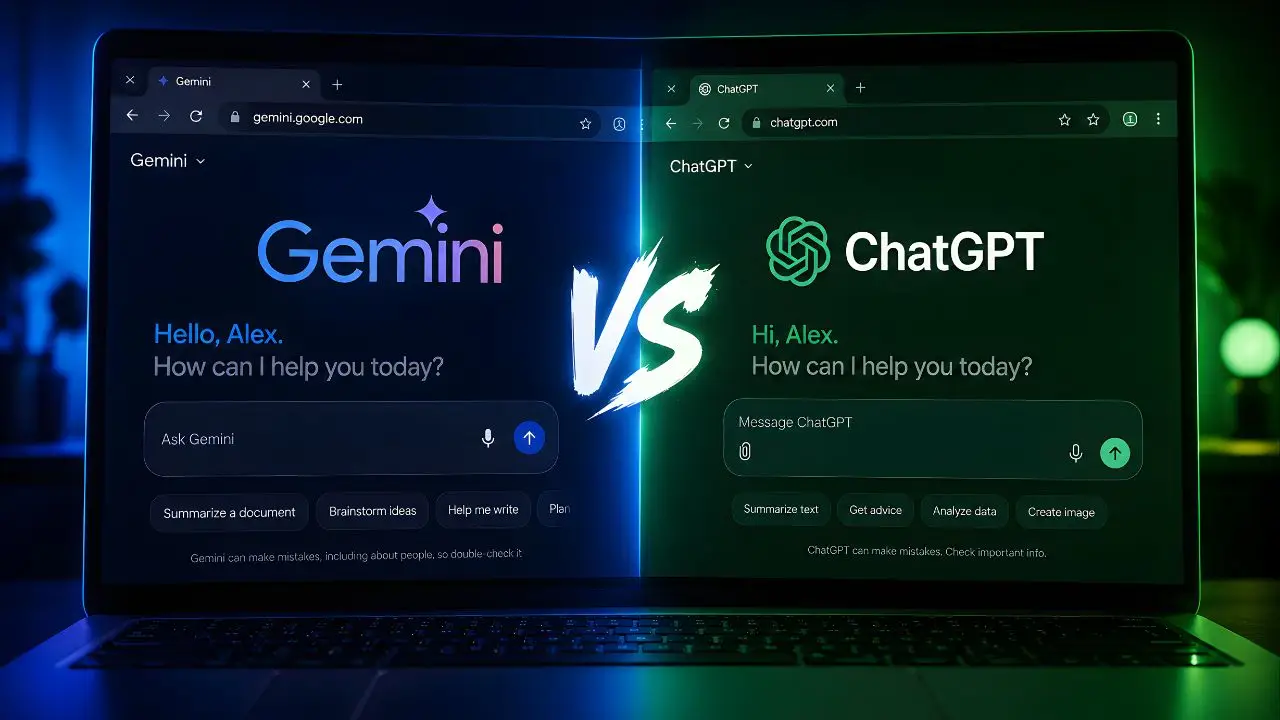
A few months ago I was helping a colleague prepare for a job interview — coaching session over video call, thirty minutes before she had to log on. She asked me to quickly pull some recent news about the company she was interviewing with. I had Gemini open in one tab and ChatGPT in another. Gemini had current news within seconds — it pulled a piece from that same week about a product launch the company had made. ChatGPT’s knowledge was three months behind and confidently gave me slightly stale context. She used Gemini’s result in her opening answer and got the job. I’m not saying that was the reason. But it wasn’t unrelated either.
That moment crystallized for me something I’d been slowly noticing across months of daily use: these two tools aren’t equally good at the same things, and the gap is more practically meaningful than most comparison articles acknowledge. So let me give you the version of this comparison that actually helps you decide.
The Real Difference Nobody Leads With: Live Information
Gemini has real-time web access built into its standard interface — not as a toggle, not as a plugin, just as a default behavior. When you ask it about something happening now, it searches and incorporates current results. ChatGPT added browsing capability to its paid tiers back in 2023, and it works, but it’s still a mode you activate rather than a baseline assumption. For free-tier users, ChatGPT’s knowledge has a training cutoff that can leave it months behind on fast-moving topics.
Does this matter for your daily use? That depends entirely on what you do. If your work involves current events, recent research, up-to-date pricing, or any field that moves fast — tech, finance, medical news, sports — Gemini has a structural advantage that no prompt engineering will overcome on the other side. If you’re writing, thinking through ideas, coding, or working with stable knowledge domains, the live search gap closes considerably.
Round 01 · Real-Time Information & Web AccessWinner: Gemini
Google Gemini9/10
Live search is the default — no toggle needed. Gemini cites sources inline, pulls recent articles and data automatically, and its Google Search integration means results are genuinely current rather than summarized from training data. Reliable for anything that happened in the last 24 hours.
ChatGPT7/10
Web browsing works well on the Plus ($20/month) and Team plans but isn’t the default behavior. Free-tier users are working from training data that has a real cutoff. The browsing results when enabled are solid, but the inconsistency between tiers is a genuine friction point for casual users.
Writing Quality: The Gap That Surprises People
Here’s where things flip. In my experience, ChatGPT writes better prose than Gemini — not marginally, but noticeably. Ask both to draft a professional email declining a project, write a product description, or compose a speech opening, and ChatGPT’s output will consistently require less editing before it sounds like a human wrote it rather than a language model trying to sound like one.
Gemini’s writing is competent and grammatically clean, but it has a tendency toward a slightly formal register that makes text feel like it was written for a corporate intranet page rather than an actual person. ChatGPT’s tone calibration is more flexible — it adjusts to casual, formal, creative, or technical contexts more naturally when you give it clear direction. (Though I’ll admit both get better when you give them a specific example of the tone you’re going for, so this gap narrows with a well-crafted prompt.)
Round 02 · Writing Quality & Tone CalibrationWinner: ChatGPT
Google Gemini7/10
Clean, accurate, and well-structured. Struggles with warmth and tone nuance in creative or casual writing. Business communications come out functional but slightly stiff. Give it a strong example to mimic and it improves substantially.
ChatGPT9/10
Better at matching voice and emotional register across different writing styles. Particularly strong on persuasive writing, storytelling, and nuanced professional communication. The output feels more alive — a quality that’s hard to quantify but immediately obvious when you compare side-by-side drafts.
A Specific Test: “Explain This to Me Like I’m New to It”
I ran both through the same prompt: “Explain how central banks control inflation — assume I understand economics at a high school level.” It’s a test I use often because it requires factual accuracy, good judgment about what to include, and the ability to calibrate complexity for a non-expert.
Gemini’s answer was accurate and well-organized, structured like a mini-article with clear subheadings. It cited a recent Bank of England interest rate decision from earlier in 2026 to illustrate a live example, which gave it immediate relevance. ChatGPT’s answer was slightly less structured but read more like an explanation from a knowledgeable friend — it used a grocery store analogy mid-way through that made the abstract concept land more intuitively. Both were good. Gemini was more informative. ChatGPT was more understandable. Which one “won” depends entirely on whether your reader wants to learn facts or actually grasp a concept — you get the idea.
“Gemini will tell you what’s happening. ChatGPT will help you understand why it matters. If you could only have one, you’d need to know yourself pretty well to choose.”
Google Ecosystem vs. OpenAI Ecosystem — This Actually Matters
If you’re deep in Google’s tools — Gmail, Drive, Docs, Calendar, Meet — Gemini’s integration is genuinely useful in ways that feel native rather than bolted on. Ask Gemini to summarize your last five emails from a client, draft a response based on a doc in your Drive, or prep you for a meeting based on your calendar — it can do all of that without you copying and pasting anything across tools. That kind of workflow integration is worth real daily time for knowledge workers.
ChatGPT’s ecosystem play is different. It connects to third-party tools through plugins and its GPT Store — there are thousands of custom GPT configurations built for specific workflows, from legal research to cooking to code review. If your workflow doesn’t map neatly to Google’s suite, ChatGPT’s breadth of third-party integrations often finds you a solution that Gemini’s tighter Google-centric approach doesn’t cover.
Round 03 · Ecosystem & Tool IntegrationDepends on Your Stack
Google Gemini9/10
Unbeatable for Google Workspace users. Gmail summarization, Drive document access, Calendar integration, and Meet transcripts all work natively. If your work life lives in Google, Gemini belongs in your browser toolbar, full stop.
ChatGPT8/10
Custom GPT store gives access to specialized tools for almost any workflow. Connects to Slack, Notion, GitHub, Zapier, and hundreds more. Better for power users who need AI that meets them in the tools they already use, rather than pulling everything into Google’s orbit.
Coding Help — Honestly More Different Than You’d Expect
I’d push back on anyone who says these two are equivalent for coding. ChatGPT — specifically on GPT-4o — remains meaningfully stronger at writing new code, debugging complex logic, and explaining code behavior to someone learning. The code it generates is cleaner, the explanations are more pedagogically useful, and it handles multi-file context better when you paste in larger codebases.
Gemini Code Assist (available in the Advanced tier) is genuinely capable and has strong Google Cloud integration if you’re building on GCP. But for general-purpose development help — the kind a developer reaches for a dozen times a day — ChatGPT still has the edge in output quality and the way it handles ambiguous or underspecified coding problems.
The Full Scorecard
| Category | Gemini | ChatGPT |
|---|---|---|
| Real-time web access | ★ Default, always on | Paid tiers only |
| Writing quality | Good, slightly formal | ★ More natural voice |
| Google Workspace integration | ★ Native & deep | Not available |
| Third-party tool connections | Limited | ★ GPT Store — thousands |
| Coding assistance | Strong (GCP focus) | ★ Better for general dev |
| Image understanding | ★ Slightly faster | Very strong |
| Free tier quality | ★ Strong with live web | Limited without browsing |
| Paid plan value | Gemini Advanced $19.99/mo | ChatGPT Plus $20/mo |
| Voice interaction (mobile) | Strong Android integration | ★ Most natural voice mode |
On pricing — what you’re actually paying for Both paid plans land at essentially the same price: Gemini Advanced costs $19.99/month (as part of Google One AI Premium, which also includes 2TB of Google Drive storage — so factor that in). ChatGPT Plus costs $20/month and unlocks GPT-4o with vision, browsing, DALL-E image generation, and the full GPT Store. If you’re already paying for Google One storage separately, Gemini Advanced is the better deal because you’re getting two things. If you’re not, they’re functionally the same price for very different strengths.
Who Should Use Which One?
| You Are… | Use This | Why |
|---|---|---|
| Heavy Google Workspace user | Gemini | Gmail, Drive, and Calendar integration that saves real daily time |
| Journalist or researcher needing current info | Gemini | Live web access as default — no toggle, no paid requirement |
| Writer or content creator | ChatGPT | Better tone calibration, more natural output, stronger creative writing |
| Developer or programmer | ChatGPT | Cleaner code generation, better multi-file debugging, stronger explanations |
| Student (general use) | Gemini | Free tier with live web access is stronger for research tasks |
| Power user with custom workflow needs | ChatGPT | GPT Store custom models for almost any specific niche workflow |
| Android user wanting mobile AI | Gemini | OS-level integration on Android that ChatGPT can’t match |
Choose Gemini if…
Your daily work runs through Google’s tools, you need real-time information without paying for it, or you’re on Android and want an AI that’s woven into your phone’s OS. The $19.99/month Advanced plan is genuinely good value if you fold in the Google One storage it includes.
Choose ChatGPT if…
Writing quality, coding help, or specialized workflow tools matter more than real-time web access. The GPT Store gives you a depth of customization that Gemini doesn’t yet match, and for any creative or technical writing task, the output will require less cleanup.
The honest answer to “which should I use daily” is: try both free tiers for one full week each, paying attention to the moments when the tool frustrates you rather than the moments when it impresses you. Frustrations reveal what you actually need. After a week with each, the right one will be obvious — not because of benchmarks, but because of the twenty-seven small moments where one felt like a useful tool and the other felt like a workaround.
Here’s my question for you: is there a specific task or workflow where you’ve found one of these clearly beats the other — something concrete, not “it just feels smarter”? Drop it in the comments. Specific use cases are way more useful than general opinions, and I’m building a follow-up piece based on real reader scenarios.