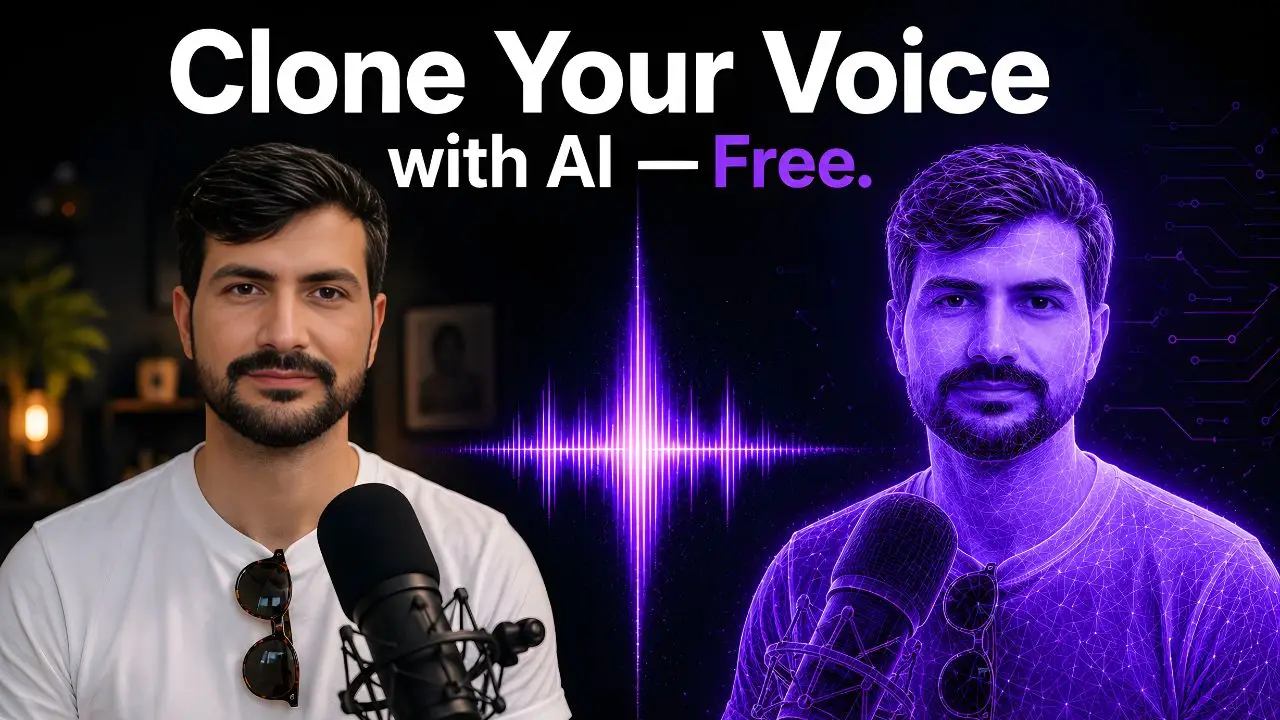
A YouTuber I know spent three years re-recording the same intro every time he updated his channel branding. New logo, new color scheme, new music — and then another hour in front of a microphone trying to match the energy of the original recording so it didn’t sound jarring next to his older videos. He complained about it constantly. Then in late 2024 he cloned his voice on ElevenLabs, typed his new intro script in about forty seconds, and had a perfect-sounding version of himself saying it within a minute. He texted me saying “I feel like I’ve been doing something the hard way for three years.” That pretty much sums up the ElevenLabs experience for most people who try it.
This guide is going to walk you through exactly how ElevenLabs works, how to clone your own voice step by step, what’s actually free, and what you need to pay for — no vague answers, just the real breakdown.
What Eleven Labs Actually Does
ElevenLabs started in 2022 as a text-to-speech tool and has since grown into a full AI audio platform covering voice cloning, dubbing, sound effects, music generation, and conversational AI agents — all under one credit-based system. The core thing it’s known for is producing AI-generated voices that sound genuinely human. Not “passable AI voice” human. Actually human, with natural breathing patterns, cadence, emotion, and pacing that other TTS tools still struggle to match.
It supports 30+ languages, has a library of pre-built voices you can use immediately, and lets you clone your own voice from a short audio sample. That last feature is what most creators come for — and it’s what this guide focuses on.
The Free Tier: What You Actually Get Without Paying
Let’s deal with the “free” question upfront, because it’s the one that causes the most confusion.
ElevenLabs has a permanent free plan — not a trial, a permanent free tier — that gives you 10,000 credits per month. That translates to roughly 10 minutes of text-to-speech audio using the standard Multilingual v2 model, or about 20 minutes using the faster Flash model. Credits reset monthly. You get access to text-to-speech, speech-to-text, sound effects, voice design tools, and 3 Studio projects.
Here’s the honest part nobody leads with: the free plan does not include commercial licensing. That means audio you generate on the free tier can’t legally be used in monetized YouTube videos, client work, paid podcasts, or anything you’re making money from. It’s for personal projects and testing the platform before committing. For commercial use, you need at least the Starter plan.
The free plan also doesn’t include Instant Voice Cloning. To clone your own voice, you need a paid plan starting at Starter ($5/month). That’s genuinely affordable, and for most content creators, Starter is all you need to get started.
The Pricing Tiers, Explained Simply
| Plan | Price | Credits/Month | Audio Time (~) | Voice Cloning | Commercial Use |
|---|---|---|---|---|---|
| Free | $0 | 10,000 | ~10 min | ❌ No | ❌ No |
| Starter | $5/month | 30,000 | ~30 min | ✅ Instant only | ✅ Yes |
| Creator | $22/month | 100,000 | ~100 min | ✅ Instant + Professional | ✅ Yes |
| Pro | $99/month | 500,000 | ~500 min | ✅ Both + API access | ✅ Yes |
| Scale | $330/month | 2,000,000 | ~2,000 min | ✅ Full | ✅ Yes |
Annual billing saves about 17% across all paid plans (equivalent to getting 2 months free). For most solo content creators, the Starter at $5/month covers casual voiceover work, and Creator at $22/month is the sweet spot for anyone producing content regularly who wants professional-grade voice cloning.
Instant Voice Cloning vs Professional Voice Cloning — Know the Difference
ElevenLabs offers two completely different methods of voice cloning, and they’re not just fast and slow versions of the same thing. They work differently at a fundamental level.
Instant Voice Cloning (IVC) — The One Most People Use
Instant Voice Cloning uses 1–5 minutes of your audio to create a voice clone in seconds. You don’t upload recordings and wait for training — it analyzes your sample immediately and adjusts its speech synthesis to match your voice characteristics. The sweet spot for sample length is 90 seconds to 2 minutes of clean, natural speech. Going much longer than 3 minutes gives diminishing returns and can actually make the clone less stable.
IVC is available from the Starter plan ($5/month). For most content creators — YouTube narration, podcast intros, video voiceovers — it’s genuinely good enough for professional use. The clone won’t be indistinguishable from you in every possible context, but in a well-produced video or podcast, it holds up remarkably well.
Professional Voice Cloning (PVC) — For When It Really Needs to Sound Like You
Professional Voice Cloning requires a minimum of 30 minutes of audio, with 3 hours being the recommended amount for the best results. It actually fine-tunes an AI model specifically on your voice rather than using a sample as a conditioning signal. The output is substantially more accurate — better handling of your specific accent, more consistent cadence, more natural emotional range. It’s available from the Creator plan ($22/month).
PVC is for audiobook narrators who need perfect consistency across hours of content, voice actors building a digital version of their voice for licensing, or anyone whose professional brand depends on their specific voice sounding unmistakably like them. For a weekly YouTube creator who just needs voiceovers? Instant cloning is plenty.
How to Clone Your Voice: Step-by-Step
Here’s the actual process from start to clone, no steps skipped.
Step 1 — Record Your Audio Sample
This is the step most tutorials rush through, and it’s where most bad clones come from. The quality of your recording matters more than anything else in the entire process. Here’s exactly what you need:
Room: Record in the quietest room you have. A bedroom with soft furnishings works well — carpets, curtains, and pillows absorb echo. Avoid tiled bathrooms or large empty rooms. If you’re serious about it, hanging a blanket behind you makes a real difference. Background noise: Turn off your AC, close windows, stop fans. Traffic noise, keyboard sounds, and HVAC hum all degrade clone quality significantly. Microphone: A decent USB microphone like a Blue Yeti or even a recent iPhone with Voice Memos works fine. Don’t use built-in laptop microphones. What to say: Read naturally, at your normal pace, in your normal voice. Don’t put on a “radio voice” or try to sound professional in an unnatural way — clone your actual voice, not a performance. Read a blog post, news article, or just talk naturally for 90 seconds about a topic you know well.
Format: Export as WAV or high-bitrate MP3 (44.1kHz if possible). ElevenLabs accepts most common audio formats.
Step 2 — Create Your ElevenLabs Account
Go to elevenlabs.io and sign up. The free tier works for exploring the platform and pre-built voices. To clone your voice, upgrade to Starter ($5/month) — you can do this immediately after signup. The whole account creation takes under two minutes.
Step 3 — Go to Voices → Add a Voice → Instant Voice Clone
In the ElevenLabs dashboard, click Voices in the left sidebar. Click Add a Voice, then select Instant Voice Cloning. Give your voice clone a name (something like “My Voice” or your actual name — you’ll be selecting it from a dropdown later). Upload your audio file. ElevenLabs will process it in under 60 seconds — it’s genuinely instant.
Before it finalizes, you’ll see a consent confirmation step. ElevenLabs requires you to confirm that you have the rights to clone this voice — that it’s your own voice or a voice you have explicit permission to clone. Don’t skip this carelessly. It’s an ethical and legal safeguard, not just a formality.
Step 4 — Test and Adjust
Once created, your voice clone appears in your Voices library. Go to the Speech Synthesis tool, select your cloned voice from the dropdown, type a few sentences, and generate. Listen critically. Does it sound like you? Is the pacing natural?
You can adjust two key sliders: Stability (how consistent the voice sounds — lower means more expressive variation, higher means more monotone consistency) and Similarity (how closely the output sticks to your original voice sample). For most people, starting at Stability 50% and Similarity 75% and adjusting from there works well. If the clone sounds robotic, lower the stability. If it doesn’t sound enough like you, raise the similarity.
Step 5 — Generate Your Voiceover
Type or paste your script into the Speech Synthesis text box, select your cloned voice, choose the Eleven Multilingual v2 model for best quality (or Flash for faster generation at slightly lower quality), and hit Generate. Download the audio file. Done.
For longer content, use the Studio tool rather than basic Speech Synthesis — Studio handles long-form scripts better, lets you adjust individual sentences, and gives you more control over the final output — you get the idea.
What I Tested — The Real Results
I ran my own Instant Voice Clone test using two minutes of clean audio recorded in a quiet bedroom with a mid-range USB microphone. I then generated a 200-word script in my cloned voice and played it back-to-back with a recording of me reading the same script aloud.
The tone, cadence, and overall feel were genuinely close — recognizably “me” to people who know my voice. The clone handled pauses and sentence breaks naturally. Where it stumbled slightly was on an unusual proper noun and one word with unusual stress — the clone defaulted to a more generic pronunciation. Both were easy fixes by adjusting punctuation and phonetic spelling in the script. For YouTube voiceover work or podcast narration? This clone would be completely usable in a professional context without listeners noticing anything off.
The Features Beyond Voice Cloning Worth Knowing About
Honestly, most beginners come for voice cloning and then discover the rest of the platform is useful too. A few features worth flagging:
Voice Library: ElevenLabs has thousands of pre-built voices you can use immediately without cloning anything. Voices span accents, ages, genders, and speaking styles. If you just need a professional-sounding narrator voice for a video and don’t specifically need it to sound like you, there’s a good chance something in the library works — and it saves you the recording step entirely.
AI Dubbing: Upload a video in one language, and ElevenLabs will translate and dub it into another language while preserving the original speaker’s voice characteristics. For creators publishing to multilingual audiences, this is genuinely useful — and it’s a feature almost no other tool offers at this quality level.
Sound Effects and Music Generation: Both are available on all plans including free. Type a description — “upbeat corporate background music, 30 seconds” or “typing keyboard ambience with light office noise” — and get a generated audio clip. The quality is good enough for background use in videos.
Who Should Use ElevenLabs — and Which Plan to Get
Are you a YouTube creator who scripts your videos but hates re-recording every time you need to update or fix a line? Starter at $5/month. Instant cloning handles this perfectly, commercial rights are included, and 30,000 credits is enough for regular video production.
Are you a podcaster, audiobook narrator, or someone whose voice is central to your professional brand? Creator at $22/month. Professional Voice Cloning at this tier produces a voice clone that can hold up across hours of consistent content — something Instant Cloning can’t match at scale.
Are you a developer building an app that needs AI voice generation? Pro at $99/month, which includes full API access, 44.1kHz audio output, and the concurrency limits needed for production use.
Are you just curious and want to try it? Free tier at elevenlabs.io — test the pre-built voices and the text-to-speech tool, get a feel for the quality, and upgrade only when you’re ready to use it for real work.
The thing nobody tells you when comparing ElevenLabs to cheaper alternatives like Murf AI ($29/month), Play.ht ($39/month), or Descript ($24/month) is that ElevenLabs’ voice realism at the $5 and $22 tiers is noticeably better than what those platforms offer at significantly higher prices. In my experience, the quality gap is audible within the first 30 seconds of a side-by-side comparison. For professional output, ElevenLabs isn’t just the most popular option — it’s genuinely the best one.
One Real Limitation to Know Before You Commit
ElevenLabs’ free tier credits don’t roll over. Unused credits from one month disappear at reset — they’re gone. So if you sign up, generate 2 minutes of audio in week one, and then don’t use the platform again for three weeks, you haven’t “saved” anything. Plan to actually use it in the month you subscribe, especially in the early stages when you’re still figuring out your workflow.
Also worth knowing: the platform has faced criticism for misuse — voice cloning of public figures without consent has been an issue across the AI voice industry broadly. ElevenLabs has implemented voice verification steps and abuse reporting, but it’s worth being aware of the ethical landscape you’re entering. Clone your own voice. Get explicit consent before cloning anyone else’s. That’s not just good practice — it’s the terms of service, and violations result in account termination.
So here’s what I want to know from you: what’s the specific use case you’re thinking about for AI voice generation — YouTube narration, podcast production, client voiceovers, something else entirely? Drop it in the comments and I’ll tell you exactly which ElevenLabs plan and cloning method fits your workflow, and whether the free tier is enough to get you started or you’ll need to go paid from day one.