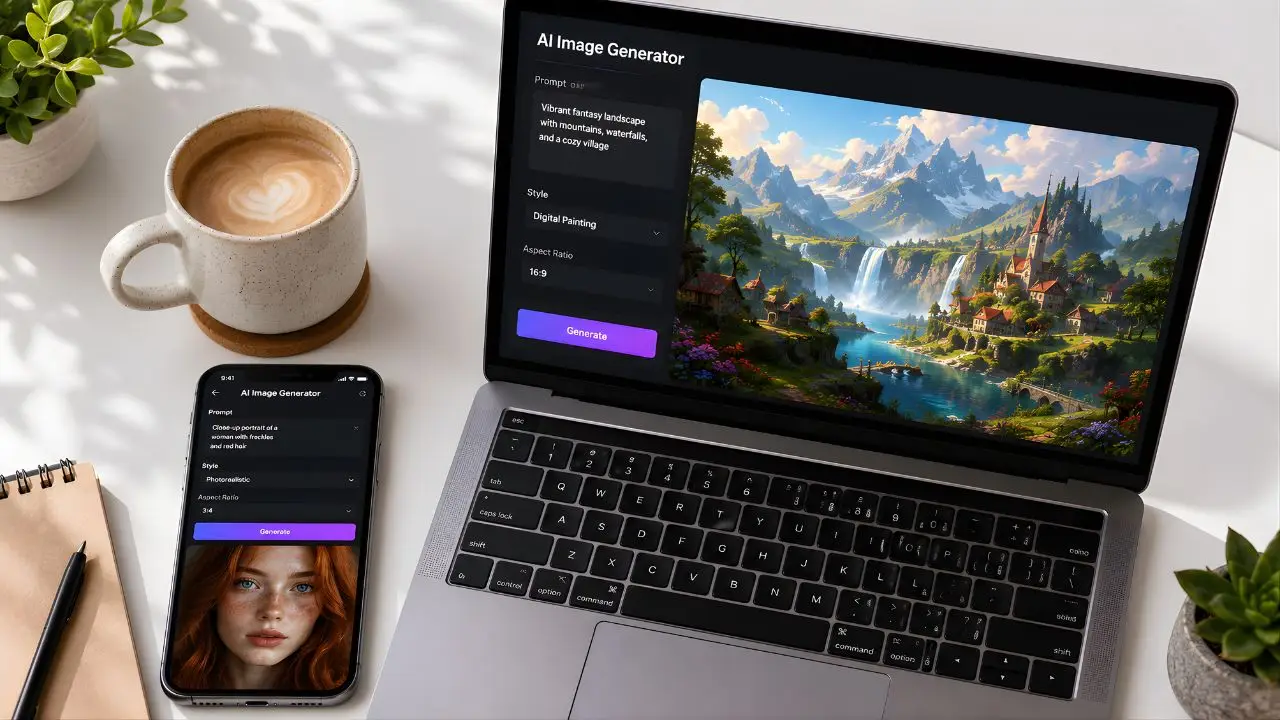
A colleague of mine runs a small Etsy shop selling digital print art. Last year she was paying a freelance illustrator $40–$60 per image for her product listings. Then in early 2026 she texted me saying she’d just made five product mockup images in twenty minutes — for free — without creating a single account. She wanted to know if what she’d done was too good to be true. Honestly? It wasn’t. Free AI image generation has quietly gotten very, very good, and most people still don’t know which tools are actually worth their time.
So I spent two weeks testing every major free AI image generator I could find. Same prompts, same use cases, no paid plans. Here’s what I actually found — ranked, with direct links, and no fluff.
Before We Get Into It: What “Free” Actually Means in 2026
Here’s the thing nobody tells you upfront — “free” in the AI image world is a spectrum. Some tools are genuinely free with zero account required. Others give you a free tier that disappears after 25 generations. And a few advertise “free” while quietly watermarking every image you produce, which makes them useless for anything real.
I’ve sorted everything below by how honest the free tier actually is. The no-signup tools come first, then the ones worth the two-minute account setup, and finally the ones to avoid unless your use case is very specific.
The No-Signup Tools (Zero Account, Zero Friction)
1. Craiyon — Unlimited, Truly Free, No Account Ever
Craiyon (which started life as DALL-E Mini back in 2022) is the only genuinely unlimited AI image generator with zero account required, zero credit limit, and no daily cap. It generates nine images at once directly in your browser, with multiple style modes — photo, drawing, art, and auto — and no watermarks on the output. The catch is speed: generation takes 45–60 seconds per batch, and the free tier is ad-supported.
In my testing, Craiyon handles simple concepts well — a sunset over mountains, a flat-lay coffee cup, a cartoon dog. Where it falls apart is complex scenes with multiple people or detailed architecture. The quality gap between Craiyon and the paid-tier tools is real. But for quick concept sketches, blog placeholder images, or just experimenting with prompts before committing to a better tool? It’s perfect. Reddit users in r/StableDiffusion specifically recommend Craiyon for quick concept testing before committing to a paid tool — and I’d agree with that crowd.
Best for: Beginners, unlimited testing, zero-friction concepts
Watermark: None
Daily limit: Unlimited
Commercial use: Check current terms
2. Raphael AI — No Account, No Limit, No Watermark
Raphael AI lets you generate unlimited images with no account required and no watermark. The output resolution caps at 1024×1024, which isn’t going to work for large print projects, but it’s more than enough for social media, blog graphics, and digital use. The image quality sits noticeably above Craiyon — sharper detail, better handling of human faces, and more consistent prompt adherence.
I tested it with the same portrait prompt I used across every tool: “a 35-year-old woman with short curly hair, warm studio lighting, editorial photography style.” Raphael produced a genuinely usable result on the second try. Not perfect — the hands were a mess, as they always are with AI generators — but the face and lighting were solid for a free, no-account tool.
Best for: Quick social media graphics, anyone who refuses to make an account
Watermark: None
Daily limit: Unlimited
Commercial use: Check current terms
The “Two-Minute Signup” Tier — Worth the Minor Friction
3. Bing Image Creator (Microsoft Designer) — Best Quality on a Free Plan
This is the one I recommend to almost everyone who asks me where to start. Bing Image Creator runs DALL-E 3 alongside GPT-4o — the same models behind a $20/month ChatGPT Plus subscription. You’re getting flagship-level image quality for nothing, using a free Microsoft account you probably already have.
Microsoft Copilot Designer gives you approximately 15 priority boosts per day, plus unlimited slower-speed generation that’s still completely usable. No watermarks. DALL-E 3’s text rendering inside images is class-leading — if you need an AI image that includes legible signs, labels, or readable text, this is your best free option. I used it to generate a blog thumbnail with a title overlaid in a clean font and it came out cleaner than what I could have mocked up in Canva in ten minutes.
The one honest downside: after your 15 fast boosts run out each day, generation slows to around 30–60 seconds per image. Still free, just slower.
Best for: Best overall free quality, images with text, social graphics
Watermark: None (invisible Content Credentials metadata only)
Daily limit: 15 fast + unlimited slow
Commercial use: Yes
4. Adobe Firefly — The Safest Choice for Commercial Use
Adobe Firefly offers 25 monthly generative credits on its free tier, with commercially safe, watermark-free outputs. Twenty-five credits sounds thin — and honestly, it is — but the reason Firefly deserves a spot on this list is its licensing clarity. Adobe’s training data policy is the most transparent in the industry, and its outputs are explicitly cleared for commercial use.
If you’re making images for a client project, an Etsy listing, or anything where you could theoretically get a copyright complaint, Firefly is the one tool where you can breathe easy. Every other free tier has murkier terms. At one credit per prompt (four images), you’ll burn through your 25 monthly credits fast — so I’d treat Firefly as your “commercial safety” tool for the jobs that matter, not your daily driver.
Best for: Commercial projects, small businesses, designers who need legal safety
Watermark: None
Daily limit: 25/month (free tier)
Commercial use: Yes, explicitly
5. Leonardo AI — Best for Variety and Creative Experimentation
Leonardo AI offers 150 free tokens per day — roughly 5–10 images depending on settings — with no credit card required to sign up. What makes it stand out is the sheer number of models available on the free tier. You can switch between photorealistic, anime, painterly, architectural, and concept art styles within the same interface.
Are you the kind of person who wants to actually explore different art directions rather than just generate one generic image? Because if so, Leonardo is genuinely the most interesting free tool to spend time with. I spent an afternoon testing its “Leonardo Diffusion XL” model for landscape photography-style images and the results were consistently better than what Craiyon or basic Bing produced for complex scenes. The interface has a learning curve — it’s not as simple as just typing a sentence and clicking go — but once you understand the style presets, it becomes fast.
Best for: Artists, content creators, anyone who wants to explore styles
Watermark: Varies by model and settings
Daily limit: 150 tokens (~5–35 images depending on settings)
Commercial use: Check current plan terms
6. Ideogram AI — The Only One That Gets Text Right
Every other AI image tool struggles with rendering text inside images. Ask for a billboard that says “Grand Opening” and you’ll usually get something that looks like scrambled Cyrillic. Ideogram is different. Ideogram leads the free tier for text-in-image accuracy — it’s the only tool that consistently renders legible, stylized text inside images.
The free tier is limited (around 10–25 images per day depending on your account level), but for its specific use case — posters, book covers, thumbnail text, social graphics with readable words — nothing else comes close for free. I tested it by generating a fake movie poster with the title “The Last Signal” in a dramatic font over a dark sci-fi background. First try. Clean, legible, well-kerned. I was genuinely impressed.
Best for: Posters, thumbnails, any image requiring readable text
Watermark: None
Daily limit: ~10–25 images/day
Commercial use: Check current terms
7. Canva AI (Magic Media) — Best If You’re Already in Canva
🔗 canva.com/ai-image-generator
Canva’s free plan gives you 50 “Magic Media” generations per month, each producing 4 image variants. That’s actually 200 individual images per month — more than it sounds. The limitation is that free users can’t use AI images standalone; they must be incorporated into a Canva design. Which, if you’re already making social posts or presentations in Canva, is exactly where you’d use them anyway.
In my experience, Canva AI isn’t the strongest image generator on a technical level — it’s not going to beat Bing for raw quality. But the workflow integration is unmatched for non-designers. You generate, drop it into your design, adjust, and export in a single app. That friction reduction is genuinely worth something when you’re producing content at volume.
Best for: Bloggers, social media managers, small business owners already using Canva
Watermark: None
Daily limit: 50 generations/month (free)
Commercial use: Yes, within Canva designs
The Bonus Pick: Nano Banana Pro (Google Gemini)
Nano Banana Pro — Google’s Gemini 3 Pro Image model, launched in November 2025 — is now the dominant free-tier pick in community rankings for infographics, diagrams, multilingual layouts, and slide-style compositions. It’s available free through the Gemini app at roughly 20 images per day. The photorealism quality is among the best of any free option, and Google Gemini produces no visible watermarks on free-tier images.
This one’s worth bookmarking even if you don’t use it daily. For infographic-style images — charts presented as visuals, step-by-step graphics, anything that needs to look like a designed layout rather than a photograph — it’s miles ahead of everything else on this list.
Quick Comparison: Which Tool Should You Actually Use?
| Tool | No Signup? | Daily Limit | Watermark | Commercial Use | Best For |
|---|---|---|---|---|---|
| Craiyon | ✅ Yes | Unlimited | None | Check terms | Quick testing, concepts |
| Raphael AI | ✅ Yes | Unlimited | None | Check terms | Social graphics, no-account users |
| Bing Image Creator | ❌ MS account | 15 fast + unlimited slow | None | ✅ Yes | Best overall quality |
| Adobe Firefly | ❌ Adobe ID | 25/month | None | ✅ Yes (explicit) | Commercial safe |
| Leonardo AI | ❌ Signup | 150 tokens/day | Varies | Check terms | Art styles, variety |
| Ideogram AI | ❌ Signup | ~10–25/day | None | Check terms | Text in images |
| Canva AI | ❌ Canva account | 50/month | None | ✅ Yes | Design workflow |
| Gemini (Nano Banana) | ❌ Google account | ~20/day | None | Check terms | Infographics, photorealism |
Who Should Use Which Tool — Let Me Be Specific
You’re a blogger who needs featured images quickly: Start with Bing Image Creator. The quality is genuinely high, it’s free with a Microsoft account, and the output is clean enough to publish without embarrassment. If you need text in the image (like a title card), switch to Ideogram for that specific task.
You run a small business and need commercial-safe visuals: Adobe Firefly. Full stop. The 25 monthly credits are limited, so use them thoughtfully — but when the commercial licensing question comes up, Firefly is the only free tool where you don’t need to guess at the answer.
You’re a content creator making YouTube thumbnails or TikTok graphics: Leonardo AI gives you the most creative variety, and 150 daily tokens is enough for a serious production workflow if you’re efficient with your prompts. Pair it with Ideogram when you need readable text on top of the image.
You just want to experiment with zero commitment: Craiyon or Raphael AI. No account, no decisions, just type and generate — you get the idea.
You’re already designing in Canva daily: Don’t leave the app. Canva AI is right there, the integration is smooth, and 50 monthly generations covers most content calendars.
The Honest Reality Check
I’d push back on the idea that free AI image generators are “almost as good as paid.” For photorealism at high resolution, for consistent character generation across multiple images, for truly custom style training — paid tools like Midjourney ($10/month) or the FLUX.2 model still produce noticeably better results. The free tier gap is real.
But for 80% of what bloggers, small business owners, social media managers, and hobbyist creators actually need? The tools above are genuinely sufficient. My Etsy-selling colleague was right — you can produce usable, professional-looking images for free in 2026 if you know which tools to reach for.
The key is matching the tool to the job. Don’t use Craiyon for your client pitch deck. Don’t burn your Firefly credits on rough concepts. Use each tool for what it actually does well, and the free tier ecosystem covers a surprisingly wide range of real needs.
One last thing worth saying: always check the current Terms of Service before using any free-tier AI image for commercial purposes. Terms change, sometimes quietly, and what was permitted six months ago may have been updated — especially as these companies figure out their monetization models.
So here’s my question for you: which of these tools have you actually tried, and did the output match what you needed? I’m especially curious whether anyone’s found Ideogram useful for something beyond the typical poster use case — drop it in the comments below. And if there’s a free tool I missed that you think deserves a spot on this list, tell me that too.