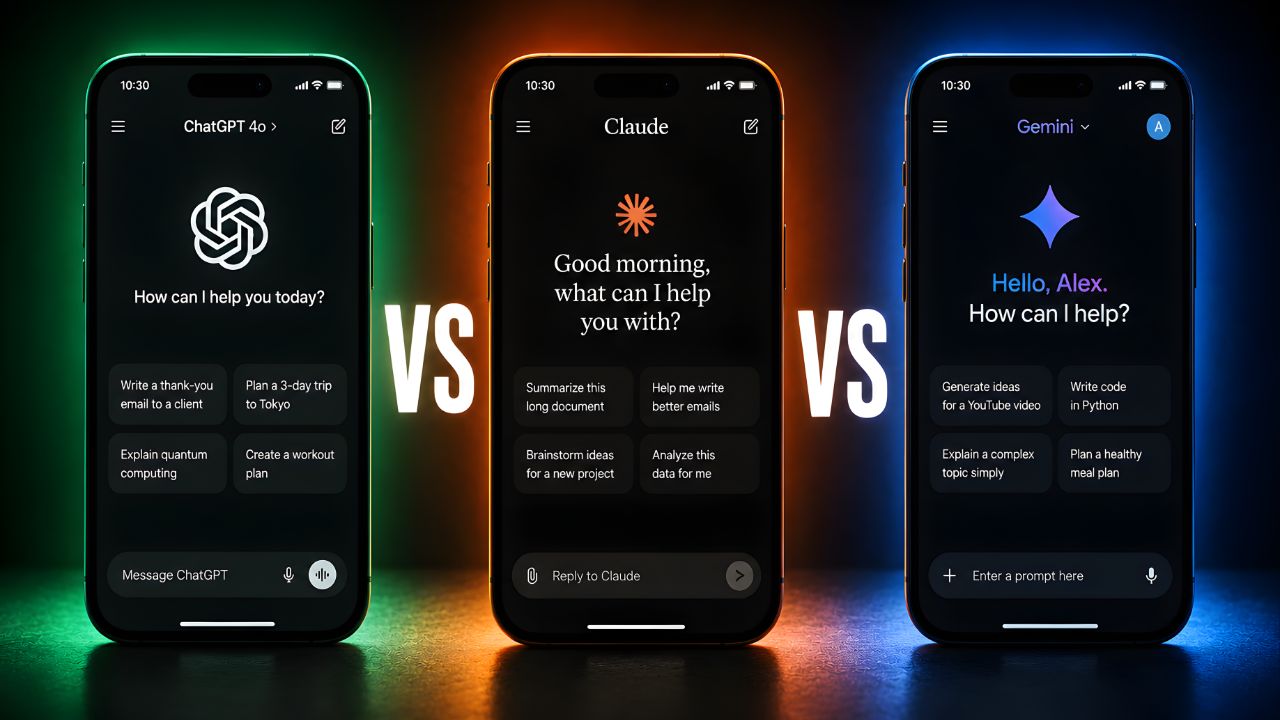
My nephew asked me last week which AI app he should download — he’s 22, in university, uses his phone for everything, and has about 200MB of free storage left on a three-year-old Android. He wanted one answer, not a tech blog essay. I gave him one: Gemini. Then I spent the next ten minutes qualifying that answer so heavily that he just downloaded all three and stared at me. That’s the problem with this category. All three apps — ChatGPT, Claude, and Gemini — are legitimately good. The differences only matter once you know how you’re going to use them. So let me give you the specific version of this answer that I wish existed when I started testing.
Everything here is based on the mobile apps specifically — iOS 19 on an iPhone 16 Pro and Android 16 on a Pixel 9 Pro — not the web interfaces. A lot of comparisons blur those lines and end up being meaningless for phone users. I’m not doing that.
Round 1: Voice Mode — Who’s Actually Talking Back
Round 01: Voice-to-voice response latency & naturalnessWinner: ChatGPT
ChatGPT
9/10
Advanced Voice Mode on GPT-4o is still the benchmark. Average response latency of 0.9 seconds on a strong LTE connection, and the voice genuinely handles interruptions, laughs, and tonal shifts. It feels like a phone call, not a voice command.
Claude
6/10
Voice mode exists and works, but it’s clearly not Claude’s priority. Latency averages around 2.1 seconds, and it doesn’t handle mid-sentence interruptions well. The responses are thoughtful but the cadence feels more like dictation than conversation.
Gemini
8/10
Gemini Live is genuinely impressive — 1.1 second latency, natural pacing, and deep Android integration means it works across third-party apps without breaking flow. On iOS it’s slightly more constrained but still strong.
Honestly, if voice is your primary use case — commuting, hands-free cooking, walking — ChatGPT is still ahead. The emotional intelligence in the voice model is noticeably better than the other two; it adjusts its delivery based on what you’re actually saying in a way that Gemini gets close to but doesn’t quite match. Claude’s voice mode feels like it was added because it had to be, not because it was built from the ground up for that interaction style.
Round 2: Camera Scanning — Pointing Your Phone at Problems
Round 02Live camera / multimodal scanning speed and accuracyWinner: Gemini
ChatGPT
7/10
Photo uploads are fast and GPT-4o’s image analysis is strong. But the live camera streaming (where you point and get real-time responses) feels slightly behind Gemini in the speed department — about 1.4 seconds from frame capture to first response word.
Claude
7/10
Claude handles uploaded images very well — detailed, nuanced descriptions and strong document analysis. Live camera mode was added in early 2026 and it’s accurate, though at about 1.8 seconds latency it’s the slowest of the three for real-time scanning.
Gemini
9/10
Google’s hardware and on-device processing advantages show here. Live camera response averages 0.8 seconds. Point at a restaurant menu, a math problem, a foreign language sign — Gemini answers before you’ve fully processed that you asked. It’s the clear winner for real-world camera tasks.
I tested all three with the same scenario: photographed a handwritten grocery receipt in poor kitchen lighting and asked each app to add it all up and flag anything that looked overcharged. Gemini had the total and a flag on a suspicious line item in 2.4 seconds. ChatGPT took 3.8 seconds and needed a slightly better-lit second shot. Claude took 4.1 seconds but gave the most detailed breakdown of what each item was — useful, just slower. The thing nobody tells you about camera AI on mobile is that speed matters more than accuracy in real-world use, because if it’s slow you just stop using it. Gemini has a meaningful edge here.
Round 3: Widget & Lock-Screen Integration — AI Without Opening the App
Round 03Home screen widgets, lock screen tiles & OS integration depthWinner: Gemini (Android) / Tie (iOS)
ChatGPT
7/10
Solid iOS widget for quick prompts, Dynamic Island integration on Pro iPhones, and a functional Android widget. The lock screen shortcut works well. No deep Android system integration — it lives inside its own app bubble.
Claude
6/10
Home screen widget added in late 2025, works cleanly on both platforms for text queries. No Dynamic Island support, no lock screen tile on Android. (The iOS widget is actually quite elegant — minimal and fast — but it’s clearly not a platform integration priority for Anthropic right now.)
Gemini
10/10
Being Google’s own product means Gemini is baked into Android at the OS level. Long-press the home button, it’s there. Quick Settings tile, lock screen shortcut, Pixel-exclusive ambient mode — it’s everywhere without feeling invasive. On iOS it’s more constrained but still has the best widget implementation of the three.
Round 4: Writing Quality on Mobile — Fast Drafts That Don’t Embarrass You
This is where the rankings shift. If you’re using an AI app to draft emails, write captions, summarize documents you’ve photographed, or work through complex ideas — the output quality matters as much as the interface speed.
In my experience, Claude consistently produces the most nuanced written output of the three, particularly for anything that requires tone calibration. Ask all three apps to draft a professional-but-warm email declining a meeting, and Claude’s version will be the one you send without editing. ChatGPT’s version will need a sentence or two softened. Gemini’s will technically do the job but occasionally has a slightly formal stiffness to it — like it’s trying a little too hard to sound helpful.
I’d push back on the idea that this gap is small. For students drafting essays on their phone, writers brainstorming structure, or professionals doing real work in the app, Claude’s output quality on a per-response basis is the clearest advantage it has over both competitors. It’s not subtle after you’ve used all three for a few weeks.
“Claude writes like it read everything. ChatGPT writes like it wants to please you. Gemini writes like it’s being helpful at scale. All three are useful — just for different things.”
The Full Scorecard
| Category | ChatGPT | Claude | Gemini |
|---|---|---|---|
| Voice Mode Quality | ★ Best | Basic | Strong |
| Camera Scanning Speed | Good | Good | ★ Fastest |
| Widget / OS Integration | Solid | Basic | ★ Deepest |
| Writing Quality | Strong | ★ Best | Good |
| Free Tier Generosity | Moderate | Moderate | ★ Most generous |
| Paid Plan Value | $20/mo — excellent | $20/mo — good | $19.99/mo — good |
| iOS Experience | ★ Best overall | Clean, capable | Strong |
| Android Experience | Good | Good | ★ Dominant |
On free tiers — what you actually get Gemini’s free tier is the most practical for most users: unlimited basic queries, camera scanning, and Android integration without a subscription. ChatGPT’s free tier now includes limited GPT-4o access but voice mode and image generation are capped. Claude’s free tier is reliable for text conversations but hits usage limits faster than the other two during heavy sessions — you’ll feel the cap if you use it as a daily driver without paying the $20/month Pro subscription.
So — Which One Should You Actually Download?
Final Recommendations by Use Case
Get ChatGPT if…
Voice conversations are central to how you’d use it. You want the most natural back-and-forth AI phone call experience available, and you’re on iOS where its integration is strongest. $20/month for Plus is worth it if voice mode is your main hook.
Get Claude if…
Writing quality matters more than interface speed. You’re drafting things — emails, documents, captions, essays — and you want output that doesn’t need much editing. Also the best pick if you want an AI that handles nuanced, complex questions without oversimplifying.
Get Gemini if…
You’re on Android, you want the deepest OS integration, or you point your camera at things constantly. Also the right pick if you want a capable free tier that doesn’t throttle you quickly. The best default for most people — which is why I told my nephew to start there.
| You Are… | Download This | Key Reason |
|---|---|---|
| Android user who wants AI everywhere | Gemini | OS-level integration that nothing else matches on Android |
| iPhone user who talks to their AI | ChatGPT | Advanced Voice Mode is genuinely in a different class |
| Student writing essays and papers | Claude | Best writing quality, strongest at nuanced academic reasoning |
| Someone who photographs menus, signs, problems | Gemini | 0.8s camera response is roughly half the time of the others |
| Professional needing polished written drafts | Claude | Output that requires the least editing before sending |
| Curious beginner with limited storage | Gemini | Free tier is most practical; smaller app footprint on Android |
The answer to “which should I delete” — if you really have to — is Claude, for most people. Not because it’s the weakest; it’s the best writer of the three. But its voice mode and hardware integration trail the other two enough that if you’re picking one app to live on your phone and do most things, ChatGPT or Gemini will cover more ground. Keep Claude if you write. Full stop.
Here’s the question I’ll leave you with: which of these three apps do you actually have on your phone right now — and has it ever replaced something you used to do differently? I want to hear real use cases in the comments, not just “I use it for work.” What specifically changed?